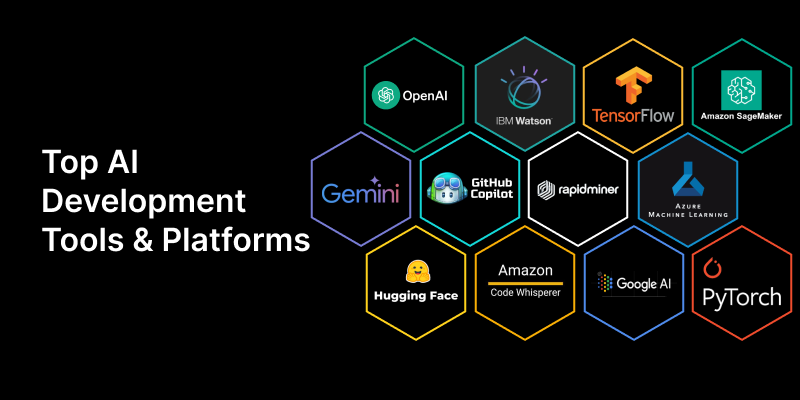
Top 15 AI Tools for Backend Developers
1. What is GitHub Copilot?
Answer: A coding assistant that suggests whole lines or blocks of code as you type. It understands context from comments and function names to generate relevant code.
Business Use Case: “In our claims processing service, I need to write a new Java class to validate a dental claim. I can write a comment like // Java class to validate dental claim fields: memberId, serviceDate, procedureCode and Copilot will generate the boilerplate class structure and validation methods, saving significant time.”
2. What is ChatGPT?
Answer: A conversational AI that can answer questions, write code, explain concepts, and debug errors. It acts like a pair programmer for brainstorming logic.
Business Use Case: “I’m facing a complex OutOfMemoryError in our batch processing job. I can describe the scenario and paste the stack trace into ChatGPT and ask, ‘What are the likely causes for this error in a Spring Batch application?’ It can provide potential root causes, like an un-closed resource or inefficient data loading, which helps me start my investigation.”
3. What is Google Gemini? Answer: A powerful AI model from Google that can understand text, code, images, and video. It’s used for coding assistance and building multimodal apps. Business Use Case: “A business analyst sends me a screenshot of a flowchart for a new claim adjudication rule. I can upload the image to Gemini and ask it to ‘Translate this flowchart into Java pseudocode for a claims validation service.’ This gives me a great starting point for implementation.”
4. What is Amazon Q Developer (formerly CodeWhisperer)? Answer: An AI assistant from AWS that helps you write code, debug, and upgrade applications, with a special focus on AWS cloud services. Business Use Case: “I’m writing a new microservice that needs to store generated EOB documents in an S3 bucket. As I write the Java code, Amazon Q provides suggestions based on AWS best practices, including the correct IAM role setup and how to use the AWS SDK for secure file uploads.”
5. What is Cursor?
Answer: An AI-first code editor built on VS Code. It lets you chat with your entire codebase, generate code from natural language, and edit existing code using AI commands.
Business Use Case: “I need to refactor our MemberService to use the new PBOConfiguration object instead of the legacy one. I can instruct Cursor: ‘Refactor this entire service to replace all instances of LegacyPBO with PBOConfiguration.’ Cursor will analyze all related files and apply the changes, which is much faster than a manual find-and-replace.”
6. What is Postbot (Postman AI)?
Answer: An AI assistant within Postman that helps you design, test, and document APIs. It can automatically generate test cases or write documentation.
Business Use Case: “I’ve just built a new REST endpoint /api/v2/claims for submitting claims. I can ask Postbot to ‘Generate a test suite that checks for a 201 Created status on success and a 400 Bad Request if the memberId is missing.’ It will automatically create the necessary tests in Postman.”
7. What is LangChain? Answer: A framework that helps you build applications powered by Large Language Models (LLMs). It connects the AI to other tools (like Google Search or your own database) so it can perform complex, multi-step tasks. Business Use Case: “I want to build an internal chatbot to help new developers understand our complex claims system. I can use LangChain to connect an LLM to our internal Confluence documentation. When a developer asks, ‘How is COB (Coordination of Benefits) calculated?’, the app can find the relevant documents and use the LLM to provide a summarized, accurate answer.”
8. What is Ollama? Answer: A tool that allows developers to easily run powerful open-source LLMs (like Llama 3 or Mistral) locally on their own machines. Business Use Case: “Our company has a strict policy against sending proprietary source code to third-party cloud services. To get AI assistance, I can use Ollama to run a powerful model on my local machine. This allows me to ask questions about our claims adjudication logic without any data leaving my computer.”
9. What is Sourcegraph Cody?
Answer: An AI coding assistant that uses “code graph” technology to understand your entire codebase deeply, including across multiple repositories.
Business Use Case: “Our monolithic insurance platform is being broken down into microservices. I need to understand how the legacy Claim object is used across the entire system before I can refactor it. I can ask Cody, ‘Show me all the places where the Claim.status field is set,’ and it will find usages across all relevant repositories, not just my open files.”
10. What is CodiumAI (Qodo)? Answer: An AI tool specifically designed to generate meaningful software tests (unit tests, integration tests, etc.). It analyzes your code and suggests tests for edge cases. Business Use Case: “I’ve just written a complex business rule for calculating a dental claim’s benefit. I can use CodiumAI to automatically generate a suite of JUnit tests that cover happy paths, null inputs, and boundary conditions, ensuring my logic is robust before I create a pull request.”
11. What is Jam.dev? Answer: A bug reporting tool that uses AI to help developers debug web applications faster. It records the screen, console logs, and network requests, and uses AI to explain the error. Business Use Case: “A QA tester reports a bug where the ‘Submit Claim’ button is not working. They send me a Jam.dev link. I can see a recording of their session, all the network requests, and an AI-generated summary that says, ‘The API call failed with a 403 Forbidden error.’ This helps me instantly identify the issue as a permissions problem.”
12. What is CodeRabbit? Answer: An AI-powered code review tool that integrates with GitHub/GitLab. It analyzes pull requests and provides line-by-line feedback, a summary of changes, and bug detection. Business Use Case: “I open a pull request to add a new feature to the member enrollment service. CodeRabbit automatically reviews it and leaves a comment: ‘This new method is missing Javadoc comments’ and ‘This loop can be optimized by using a HashMap for faster lookups.’ It acts as an automated senior developer, improving code quality before human review.”
13. What is Snyk DeepCode?
Answer: An AI-powered security tool that scans your code for vulnerabilities and bugs in real-time directly in your IDE.
Business Use Case: “While writing a new REST endpoint that takes user input to query the database, Snyk alerts me in real-time that my code is vulnerable to a SQL Injection attack. It suggests I use a PreparedStatement instead of string concatenation, helping me write secure code from the start.”
14. What is Aider?
Answer: A command-line tool that lets you pair program with an LLM to edit code in your local git repository. It can apply changes across multiple files and commit them automatically.
Business Use Case: “I need to add a new claimType field to our Claim DTO, the database entity, and the processing service. I can run aider in my terminal and instruct it: ‘Add a claimType string field to the Claim DTO, Entity, and update the ClaimService to handle it.’ Aider will edit all three files for me.”
15. What is Devin (by Cognition)? Answer: An autonomous AI software engineer that can plan, execute, and debug complex engineering tasks from start to finish. Business Use Case: “This is more of a future-looking concept. A business analyst could file a Jira ticket: ‘Create a new microservice that generates a monthly summary report of all denied claims.’ An autonomous agent like Devin could theoretically understand the request, create a new Spring Boot project, write the code to query the database, generate a CSV report, and create a pull request for review, all with minimal human intervention.”
16. What is Tabnine? Answer: An AI code completion tool that learns from your specific coding style and can run privately on your own computer or server for enhanced security. Business Use Case: “Our team works on proprietary claim adjudication algorithms that cannot be exposed to external cloud services. We can use Tabnine’s self-hosted model, which runs on our internal servers. This allows us to get AI-powered code completions while ensuring our sensitive business logic remains secure within our own infrastructure.”
17. What is Claude? Answer: An AI model by Anthropic known for its massive “context window,” meaning it can read and analyze huge amounts of code or documentation at once. It’s designed to be helpful, harmless, and honest. Business Use Case: “I need to understand a 200-page legacy technical design document for our old claims system before I can migrate it to a new microservice. I can upload the entire PDF to Claude and ask it to ‘Summarize the key data structures and business rules related to claim payments.’ Its large context window allows it to analyze the whole document at once.”
18. What is Hugging Face? Answer: A platform and community (like GitHub for AI) where developers share pre-trained models, datasets, and tools. It makes it easy to integrate advanced AI into applications without building models from scratch. Business Use Case: “We want to build a feature that automatically categorizes incoming member inquiries (e.g., ‘Eligibility Question’, ‘Claim Status’, ‘Complaint’). Instead of building a text classification model from scratch, I can use a pre-trained model from Hugging Face with a few lines of Python. This saves weeks of development time.”
19. What is LlamaIndex? Answer: A data framework for connecting custom data sources (like PDFs, Notion, or SQL databases) to Large Language Models (LLMs). It simplifies building search and question-answering applications over your private data (RAG). Business Use Case: “Our customer service team spends a lot of time searching through hundreds of PDF documents containing plan benefit details. I can use LlamaIndex to ingest all these PDFs and build an internal chatbot. A service rep can then ask, ‘What is the out-of-network coverage for physical therapy under plan G-123?’, and the system will find the relevant document and provide a precise answer.”
20. What is Replit AI (Ghostwriter)? Answer: An AI coding assistant built directly into the Replit online IDE. It helps you write, debug, and explain code in the browser, with context of your entire project. Business Use Case: “I need to quickly prototype a new microservice for validating provider credentials. Instead of setting up a local development environment, I can use Replit. Its built-in AI can help me generate the initial Spring Boot project structure, write the REST endpoints, and explain parts of the code I’m unfamiliar with, all within the browser, which is great for rapid prototyping.”

Comments